How a proposal team lets Copilot users and other agents co-edit one shared document
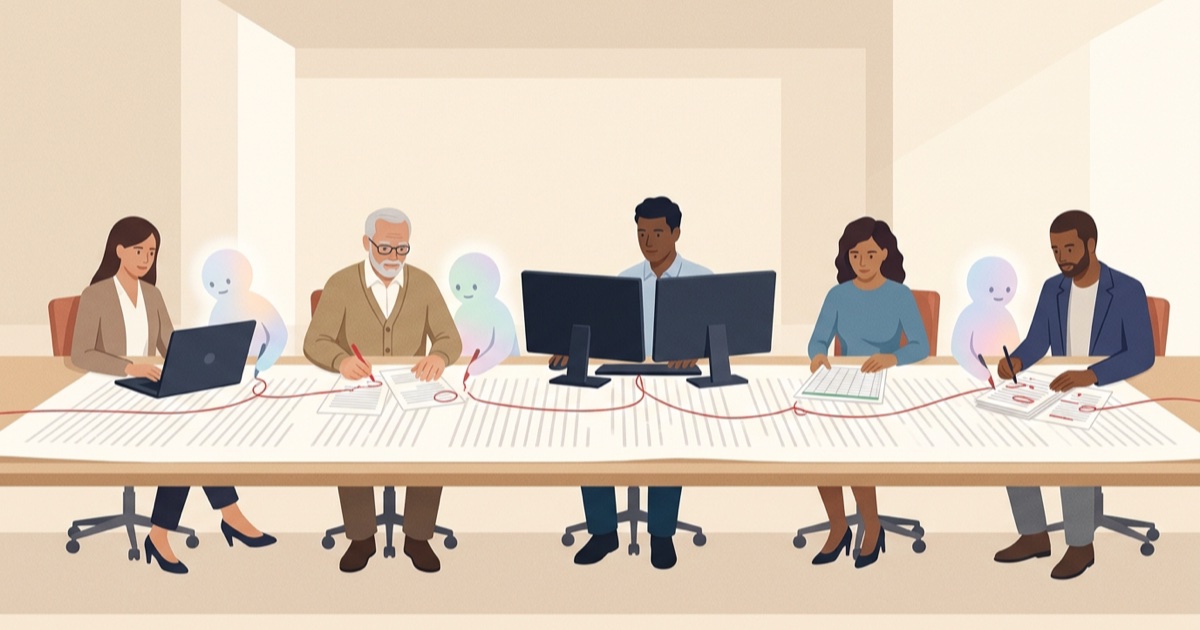
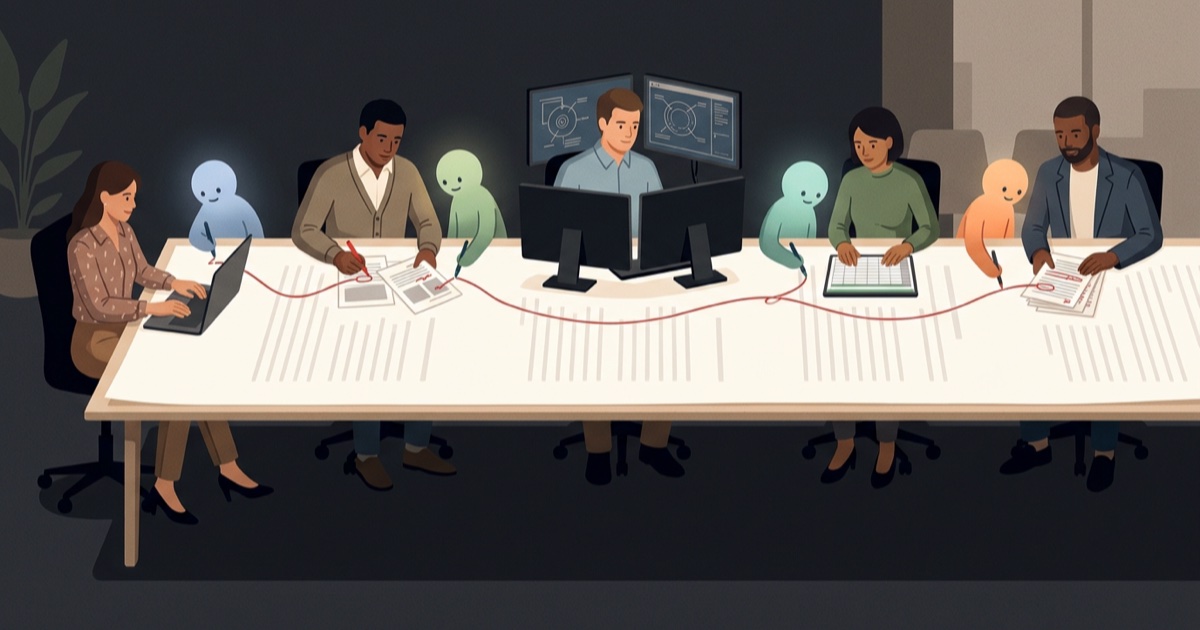
Five people, two of them on Microsoft 365 Copilot, three running agents from other vendors, one Word document on SharePoint. This is what it takes to let agents collaborate with human editors, and with each other, in a document that is being edited live, without anyone merging files by hand afterwards and without buying a Copilot license for the people who would rather bring their own agent.
- People who already use Copilot in Word keep doing exactly that. Its drafts are their own edits, tracked under their name.
- Everyone else gets a seat for their agent, not a copy of the document. The agent works through its owner's open Word session, so Word merges its edits the same way it merges a second person's.
- Every agent write is a tracked change with the expected before-text attached. If the text moved under it, including because a Copilot user rewrote it, the write is a conflict, surfaced in the task pane, never merged silently.
- Humans keep their normal tools: accept, reject, comment. The change history answers "who changed this, under which instruction" after the tracked changes are gone.
The team, and who runs which agent
Take a capture team writing a proposal volume. The document lives in a SharePoint library and is open in Word on four or five machines at once for most of the week. The roles are the ones every proposal shop recognises, and each has a different relationship to agents. Two of them have a Copilot license because that is what the company bought for the business side. The engineer does not want one; the sources for the technical volume live in repositories, call transcripts and product documentation, and the agents that work well against that material are the coding agents.
| Role | Works in | Agent | Touches |
|---|---|---|---|
| Proposal manager | Word on SharePoint, with Microsoft 365 Copilot | Copilot in Word for drafting and summaries; a compliance-check agent in Claude.ai that only leaves comments | Section 1, the compliance matrix, every approval |
| Marketing writer (win themes and past performance) | Word on SharePoint, with Microsoft 365 Copilot | Copilot in Word | Section 2, the cover letter, every caption |
| Pre-sales engineer (technical volume lead) | Claude Code and Codex, next to the product repository, the RFP, discovery-call transcripts and the last two proposals | Claude Code for the narrative, Codex for the interface tables | Section 3, the technical approach, and appendix B |
| Pricing analyst | Cowork, with the cost model open | Cowork | Table 4 and section 5, the pricing narrative |
| Contracts reviewer | Word, reviewing redlines | None | Section 6, terms. Rejects; never writes |
Two people drafting with Copilot, four agents from two other vendors run by three people, one document. Plus a reviewer who never wants to see an agent at all and only wants the redlines to make sense. That last person is the one the whole arrangement has to satisfy.
Why the engineer's agents can't simply join the co-authoring session
Word already solves the human half of this. Co-authoring on SharePoint merges edits from several people, shows who is where, and keeps tracked changes attributed. For the proposal manager and the marketing writer, Copilot fits into that neatly: it drafts inside their own window, and what they keep becomes their edit. Nothing about that needs to change.
The gap is everyone else. The engineer's Claude Code session sits in a terminal next to a repository and a folder of transcripts. The analyst's Cowork session sits next to a spreadsheet. Neither has a way into the document. Today such an agent either gets a downloaded copy of the file, which means a person merges the result back by hand, or it produces text in a chat window that a person pastes in, losing the provenance along the way. Microsoft 365 Copilot does not help here; it is an assistant for the licensed person inside their own Word window, not a door for agents from other platforms. Microsoft's own agent tooling for documents can create a new file, read text and comments, and add a comment, but as of September 2026 it does not edit an existing document in place as tracked changes inside a live co-authoring session. The landing page keeps the current comparison.
What "a seat for the agent" means
The approach that works is to stop treating the agent as a separate client of the file. Instead, the agent gets a seat in the document through the person who runs it:
- Each person has the document open in Word, on Windows, Mac or the web, signed in with their own Microsoft 365 identity. A small add-in in that Word session registers the open document with a relay.
- That person's agent signs in to the same relay with the same identity and talks to it over MCP. Claude Code does this through a plugin; Claude.ai, Cowork, Codex, Cursor and Copilot Studio through a remote MCP connector.
- When the agent reads or writes, the call is routed to that person's open Word session and executed there, by Word, inside the live co-authoring session. From SharePoint's point of view the edit came from the person. From the team's point of view it is a tracked change with the agent's name and instruction next to it.
Because the agent edits through Word, Word does the merging. The engineer's two agents, the analyst's agent and the two Copilot users are, to SharePoint, five co-authors in five places in the document, and that is a case it has handled for years.
The relay in the middle is deliberately dumb. It routes on envelope headers and never stores document text. The security page describes exactly what it sees and what it keeps.
The rules that keep four agents from making a mess
A seat gets the agent in. These rules are what make the result reviewable. They are enforced in the add-in, not left to the agent's good behaviour. Copilot's drafts are not subject to them and do not need to be: they are the licensed person's own edits, made in their own window and tracked under their name, which is exactly how Microsoft positions Copilot.
- Tracked changes on, always. Every agent write is applied as a revision. Automatic application is only possible while tracking is on; turn it off and the agent's writes wait in an approval queue instead.
- Stable anchors, never line numbers. A write targets a content control, a heading path, or a search hit with its surrounding context, and the anchor is re-resolved at the moment the write runs. A paragraph someone inserted above does not move the target.
- Expected text, verified first. Every write carries the text the agent believes it is replacing. If the current text differs, the write is a conflict. It is shown in the task pane with what was expected and what is there now, and nothing is applied.
- Comment before rewriting. Anything longer than a sentence gets a comment with the intent first. The proposal manager sees the plan before the redline.
- Read narrowly, check what landed. Agents read the outline, then the section they need, and after a batch of writes they ask what actually applied before continuing. A batch is grouped as a wave in the task pane with the agent's instruction as its title.
A morning in the document
Here is how that plays out on an ordinary day, with the five people above.
09:00, five edits in five places
The marketing writer pastes the capture notes into Copilot in Word and asks for a tighter win-theme paragraph for section 2; she keeps most of the draft, and it lands as her tracked change. The proposal manager has Copilot summarise last week's customer call and writes the executive summary by hand from the summary. The engineer asks Claude Code to tighten the power-budget paragraph in section 3.2 so that average and peak limits are stated separately, citing the discovery-call transcript and the test fixture in the requirements repository, and asks Codex to fill the interface table in appendix B from the product repository's API schema. The analyst asks Cowork to refresh the four rows of table 4 from the cost model. All five edits land within a couple of minutes of each other. Word merges them; nobody notices anything except new tracked changes and a comment appearing in sections they were not working in.
09:20, two agents meet in one sentence
Cowork, updating the pricing narrative in section 5, reaches a sentence that restates the power figure from 3.2, and its instruction includes the old number. Claude Code changed that sentence twenty minutes ago. Cowork's write carries the old text as its expectation, the text is no longer there, and the write is reported as a conflict. The task pane shows the wave as "3/4 applied, 1 conflict". Cowork reads the current sentence, sees the new figure, and proposes a smaller edit that keeps it. No one merged anything, and the engineer's change was never overwritten.
09:40, a Copilot user and an agent meet in another
While the writer was in Copilot, the deployment-timeline sentence in section 2 changed from "live in ninety days" to "phased over two quarters", because the capture lead's call had changed the deal. Codex, asked by the engineer to add a cross-reference from appendix B to that timeline, carries the ninety-day sentence as its expectation. Conflict. Codex re-reads section 2, finds the new sentence as a tracked change under the writer's name, and references that instead. Nobody on the engineering side needs to know she used Copilot to write it. It is her edit, and the add-in treated it as it would treat anything a co-author typed.
10:30, the reviewer rejects a change
The contracts reviewer opens the document in Word, filters tracked changes by author, and finds a revision in section 6 that softened a warranty clause. It came from the analyst's session, with the task pane noting it was Cowork, under the instruction "align section 5 and 6 with the revised cost basis". The reviewer rejects it in Word, the same way they would reject a colleague's edit, and leaves a comment. The rejection is itself on the record.
11:00, the compliance agent reads everything
The proposal manager runs the compliance agent in Claude.ai. It reads the whole volume, cross-checks every requirement identifier against the matrix, and leaves eleven comments, each anchored to the paragraph it concerns. It writes nothing. Three of the comments go to the engineer, who hands them to Claude Code in the afternoon. Before the status call she asks Copilot, in the same Word window, to summarise the eleven comments into a paragraph. Two assistants, two jobs, one document.
Next week, "who changed the peak limit?"
The tracked changes were accepted on Friday. On Tuesday someone asks where "6 W peak for no longer than 200 ms" came from. The change history answers it directly:
$ redtrail blame --doc Volume-2-Technical.docx --anchor 'search:"6 W peak"'
01J9P…3KQ  Claude Code · via the engineer  "Tighten §3.2 power budget"  2026-10-24 09:02
Which agent, which person, which instruction, when. SharePoint's version history would have said only that the engineer edited the file on Monday. The writer's Copilot-assisted paragraph shows up in the same history as her own edit, which is what it is.
How to set it up
- Deploy the add-in once. A Microsoft 365 admin adds Redtrail from the Marketplace under Integrated apps and assigns it to the Entra groups who get seats. Word picks it up on Windows, Mac and the web. (Quickstart)
- Each person connects their own agent. Claude Code: one plugin install. Claude.ai, Cowork, Codex, Cursor, Copilot Studio: add the remote MCP URL in the client's MCP settings. First use opens a Microsoft sign-in; use the same account that is signed in to Word. The grant is named after the device and shows up in the task pane and the audit log. People who draft with Copilot in Word change nothing. (Connect an agent)
- Turn tracked changes on in the document and decide, per person, whether their agent's writes auto-apply or wait for approval in the task pane. Reviewers who run no agent change nothing.
- Optionally, let the admin draw the lines. Which sites and libraries agents may touch, which client types are allowed, and where the audit stream goes. (Admin guide)
No Copilot license is involved at any step; the two people who have one simply keep it. If your tenant uses Microsoft Agent 365, the relay can be registered there as a bring-your-own MCP server so approval and observability happen in the Microsoft 365 admin center, but that is optional.
Other teams with the same shape
The proposal team is one example. The pattern is the same wherever several specialists and their agents share one controlled document, and wherever the business side has Copilot while the technical side brings coding agents.
- Engineering specifications. A systems engineer, a test engineer and a safety engineer each run an agent against their own sources (requirements, test procedures, hazard analyses) into one specification. Conflicts between the requirement text and the test method surface as conflicts, not as a quietly inconsistent document.
- Quality and regulatory. A quality engineer, a regulatory writer and a clinical author assemble a submission section. The reviewer's question is always "who wrote this and from what", and the history answers it per sentence.
- Contracts and statements of work. Legal, delivery and finance agents each own clauses. The reviewer rejects by author, and nothing an agent wrote can slip in without a redline.
Questions people ask
Do we need a Microsoft 365 Copilot license for this?
No. People who have Copilot keep using it in their own Word window. Agents from other platforms work through the open Word session of the person who runs them, using that person's existing Microsoft 365 sign-in. No Copilot license is needed for those seats.
Can people using Copilot in Word and agents from other vendors work in the same document?
Yes. Copilot's drafts land as the licensed person's own edits, tracked under their name when tracking is on. Agents from other platforms arrive through seats as tracked changes with the agent and its instruction recorded. Word merges all of it as ordinary co-authoring.
What happens when two agents edit the same sentence?
The second write is reported as a conflict and shown in the task pane, because the text the agent expected to replace is no longer there. Nothing is merged automatically. The agent re-reads the current text and proposes again, or a person resolves it.
Who is the author of an agent's tracked change?
The person whose Word session the agent is working through is the author of record of the revision. The task pane and the change history record which agent, on which device, under which instruction, produced it.
Does the document leave SharePoint?
No. The add-in reads and writes the open document through Word itself. The relay between the agent and the Word session is stateless and never stores document text. The optional change history stores events, not copies of the document, and is encrypted under a key the tenant can hold.